






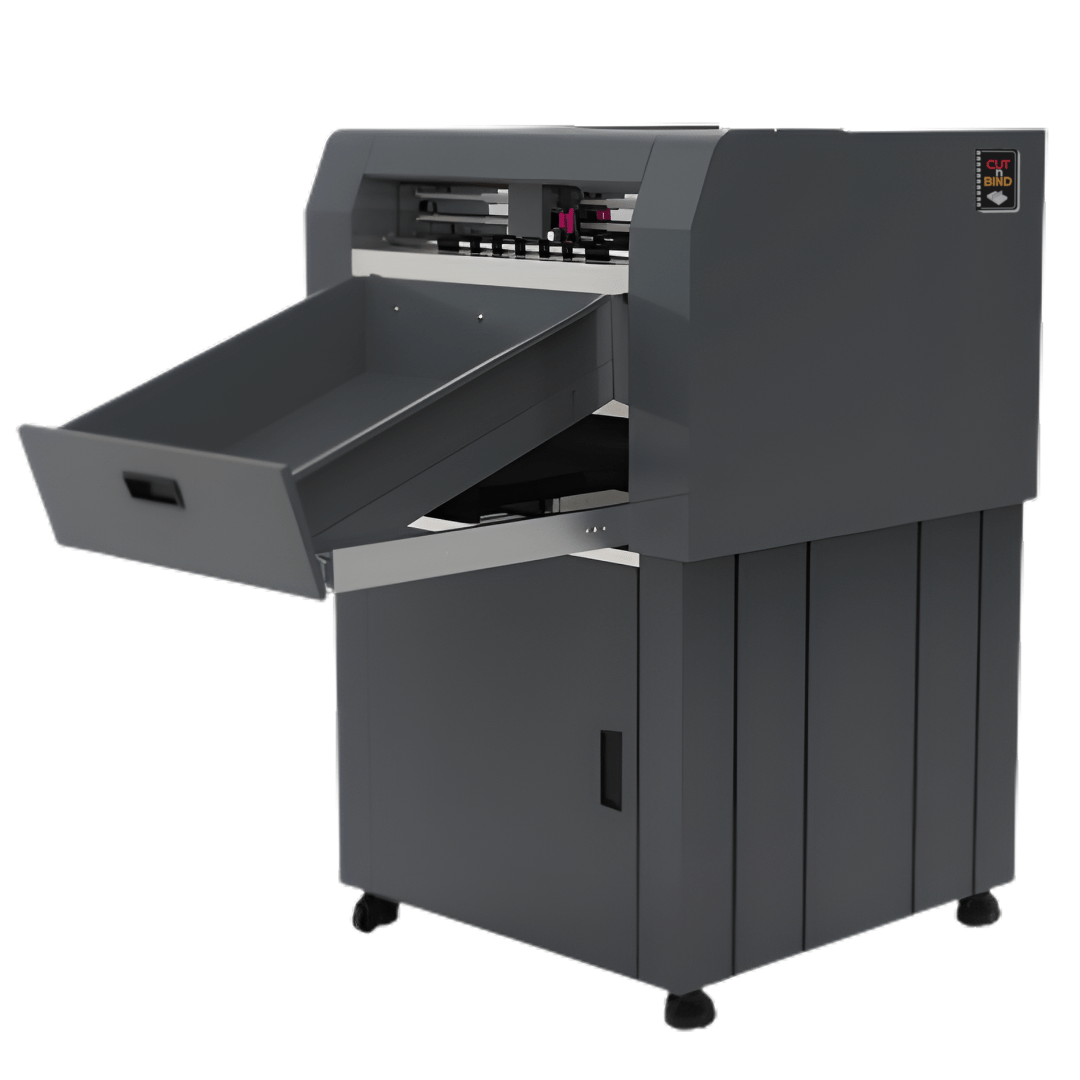

The PRO DIECUT Label and Die-Cutting Machine is built for digital printers and packaging makers who need fast, precise cutting for labels, stickers, tags, and packaging samples. With auto feeding, dual cutting heads, and options for kiss cut, die cut, and creasing, it simplifies short-run production with professional accuracy.
Ideal for custom labels, promotional stickers, hang tags, and mock-up packaging, it delivers clean results up to 370 mm width and 400 gsm media — a smart finishing solution for modern print shops
Technical Specification
| Max media width | 380 mm |
| Max cutting width | 370 mm |
| Max qty of auto feeding | 1000 pcs |
| Cutting head qty | 2 heads |
| Cutting tool mold | Crease + Cut, Kiss cut + Diecut |
| Paper thickness | no more than 1mm/400 gsm |
| Cutting precision | 0.01 mm |
| Repeat precision | 0.082 mm |
| Max cutting speed | 1200 mm/s |
| Max force | 3000 g |
| Connector interface | U-disk/Wifi/USB cable/WLAN |
| Power | <100 W |
| Working environment | +50C – +350C |
| Packing for main body part | 975*975*790 mm, 60 kgs |
| Packing for bottom support part | 935*915*880 mm, 40 kgs |
Digital Sheet Fed Die Cutter User's FAQ
Plugin will be provided that can be used along with the Existing design software like Illustrator, CorelDraw
Perforation options are available; the thickness of the cutting and empty space can be adjusted based on requirement
All this can be done without changing tools just adjusting the settings
Yes, Registration marks and QR Code must be added with the help of the plugin given for printed sheets. While blank sheets can be cut directly without marks